Budget Statistics
The 03 Budget Statistics (Global Statistics) driver provides historical statistical Operational or non-financial volume drivers that feed revenue, staffing, and expense assumptions. data with the current and projected budget data. It centrally budgets global statistics Administratively assigned departmental volumes through the use of a driver., key statistics Primary volume drivers in the budgeting process. Key inpatient, key outpatient, and key other drive variable revenue and expense per unit calculations., and non-key statistics Supporting operational measures in the budgeting process. and pushes the volumes to the plan files. You can control both the budgeted volume at the department level and the spread of the volumes.
The Statistics driver tab includes two sections:
-
Summary or Global Statistics
-
Budget Groups
The Unmapped Records tab includes records where the standard line was not previously mapped to GlobalStatistic. Users can now review and delete these records.
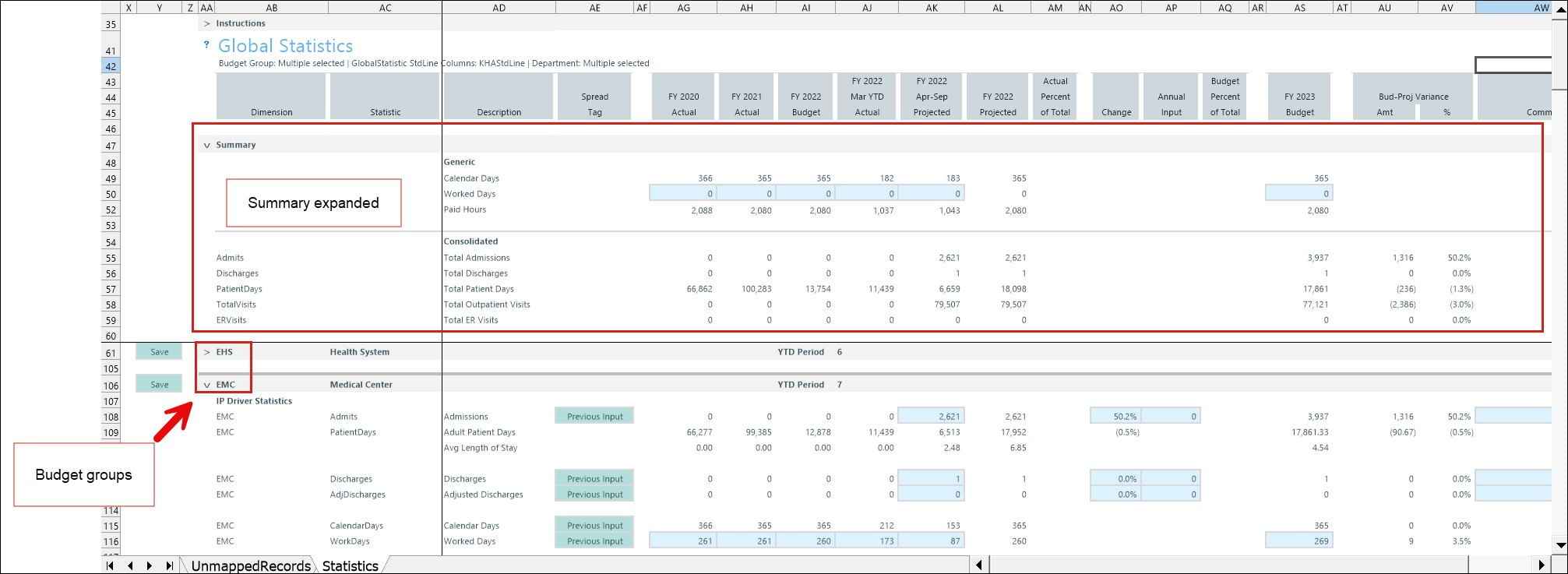
Several areas of Budget Planning and Performance Reporting reference the Budget Statistics driver.
| Area | Context |
|---|---|
|
GlobalRev driver GlobalExp driver |
|
| StatData tab | Retrieves the Rolling12 spreads from the Statistics driver |
| Stat_Rev tab | New account data added to this driver automatically populate the Stat_Rev tab in the budget plan file. |
| GlobalStatUpdate report |
Pulls the appropriate values to correspond to the correct period if you use staggered start periods for your budget groups |
Configure settings
Before opening the driver, configure the required accounts in the ACCT dimension.
This driver uses accounts that are classified as GlobalStatistic in the ACCT dimension standard line (StdLine) column. You must complete this setup before using the driver.
IMPORTANT: The GlobalStatistic calculation method (defined in the ACCT dimension) determines and governs all budget account details for any standard line in the driver.
-
Go to Admin > Admin Task Panes > Budget Admin > View Dimension Tables.
-
Double-click ACCT and complete the Open Table in Spreadsheet form.
-
Find the account in the Account Number column.
-
Double-click the StdLine field (for example, KHAStdLine) to view the calculation method values.
-
Select GlobalStatistic.
NOTE: If GlobalStatistic is not assigned to a StdLine used in the driver, an alert notification appears in the driver section to indicate that the GlobalStatistic configuration is required.
-
To save, right click the ACCT tab and select Save.
Configure driver settings.
- Go to Admin > Admin Task Panes > Budget Admin > Budget Assumptions and double click the desired driver set:
- Access NY Budget Assumptions (next year's budget drivers)
- Access CY Budget Assumptions (current year's budget drivers)
Choose the refresh variables.
NOTE: Refresh variable selection depends on the driver's requirements. Some variables may not display, and not all drivers include refresh variable options.
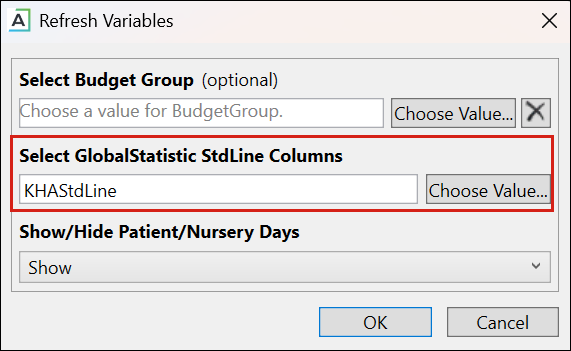
TIP: When refresh variables require a standard line, you must select at least one. If none are selected, the OK button is disabled.
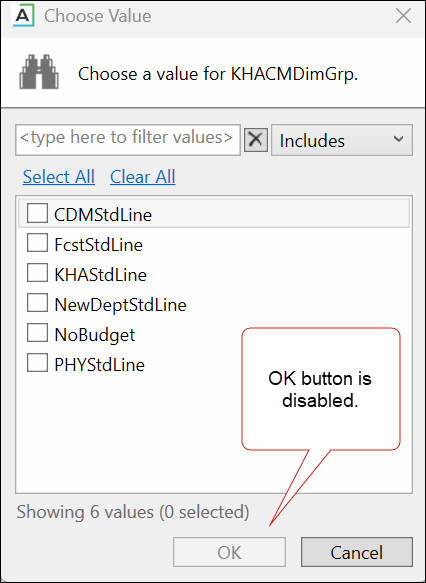
KHAStdLine is the default for the following drivers: Budget Global Data (7-10), Global Depreciation (05), Global Expense Budget (11), and Budget Revenue Global Revenue (12).
Department selection appears for the following drivers: Budget Statistics (03), Budget Depreciation (05), Global Expense Budget (11), Global Revenue Budget (12), Budget Global Sum (20), Budget Global Labor Premium Dollars (23), Budget Labor Benchmark (24), Budget Labor Target (28), Budget Provider Simple Dept Config (36), (42) Bugdet Stat Account.
-
To save any changes, right click the driver tab and select Save > Save Data Only.
Budget Statistics configuration includes the following tasks:
